
A note from the founder

Stop wasting your time scrolling and start learning instead.

You spend hours scrolling every week. But how much of it do you actually remember?

First month free. Card at signup, nothing charged until day 31. Cancel anytime.

InstagramTikTokFacebookYouTube
1:14 AM▂▄▆ ▮
0:31
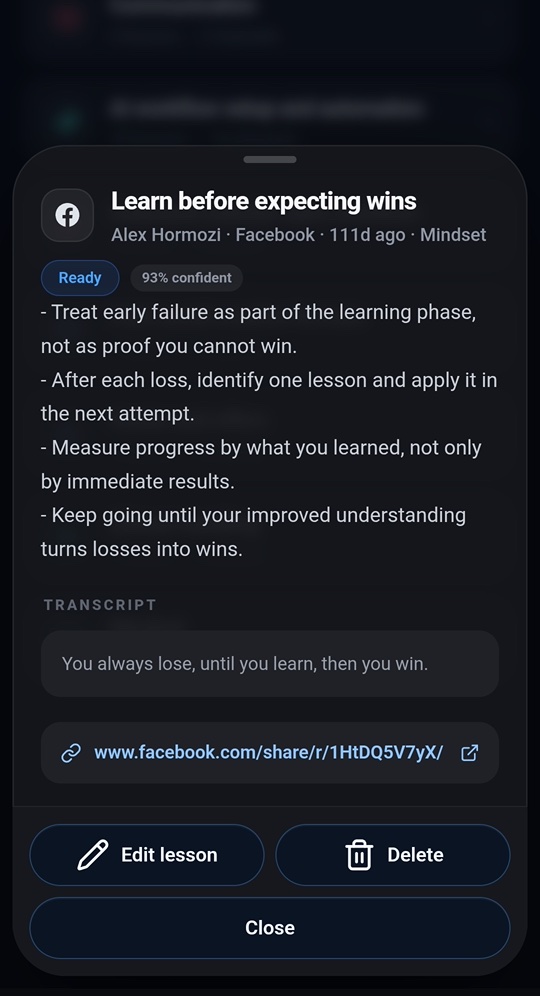
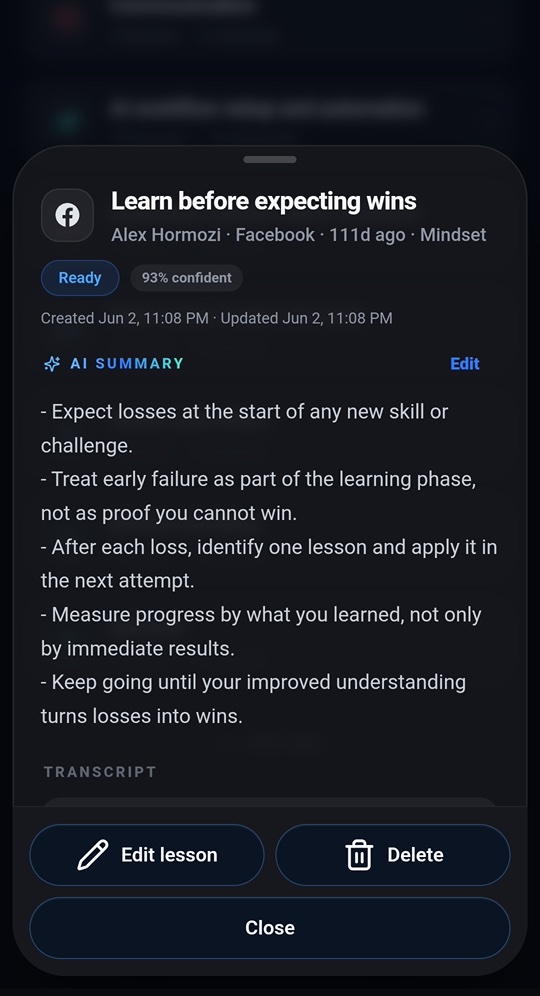
Alex Hormozi · Facebook

"You always lose, until you learn, then you win."

Link copied ·paste it in
ScrollAndLearn summary of an Alex Hormozi clip: five takeaways, filed under Mindset

Why I built this

I'm a businessman.

I'm constantly trying to get better. At business, investing, marketing, health, life.

So naturally, I consume a lot of content.

And I scroll.

A lot.

Especially before bed.

Instagram. TikTok. Facebook. YouTube.

Marin in bed at 1:14 AM, lit by his phone
1:14 AM. "At least I'm learning."

Some people would say that's a bad habit. But I've always justified it to myself with one simple thought:

"At least I'm learning."

And honestly, sometimes I am.

My feeds know me almost too well. They know I'm interested in business, eCommerce, finance, marketing and boxing. So instead of random videos, I'm constantly shown people explaining:

  • a marketing strategy I've never considered
  • a business model I want to research
  • a sales framework I want to remember
  • an investing lesson
  • a productivity idea
  • a useful AI tool
  • a great ad
  • a quote that completely changes how I think about something

I watch it.

I think: "That's brilliant."

Maybe I even save it (and never come back to it).

Then I keep scrolling.

And three weeks later… I can't remember any of it.

That's when I started questioning something.

Over the last few years, I've probably consumed thousands of genuinely useful ideas through social media.

But how many could I explain to you right now?

How many have I actually implemented?

How many changed the way I live and work?

Probably far fewer than I'd like to admit.

And that reminded me of something Alex Hormozi once said:

If you saw something but didn't change your behaviour, you didn't really learn. You entertained yourself. Alex Hormozi

That hit me.

Because maybe my "productive scrolling" wasn't as productive as I thought.

The problem wasn't that the content was bad. The content was incredible.

The problem was what happened after I watched it.

Nothing.

Social media has become an incredible learning machine.

Think about how powerful these algorithms have become.

TikTok, Instagram and Facebook know what you care about. They know what you watch. What you skip. What you replay. What you save. What topics you're currently obsessed with.

And because of that, your feed can become an unbelievably personalized stream of information. In some ways, it knows what you want to learn better than a traditional course ever could.

But there's one massive problem.

Social media is built to help you consume.

Not remember.

Not organize.

Not revisit.

And definitely not implement.

So the moment you swipe to the next video… that information starts disappearing.

Saving a post doesn't solve the problem either.

I already save posts. You probably do too.

Then six months later you open your saved folder and see hundreds of completely unrelated videos.
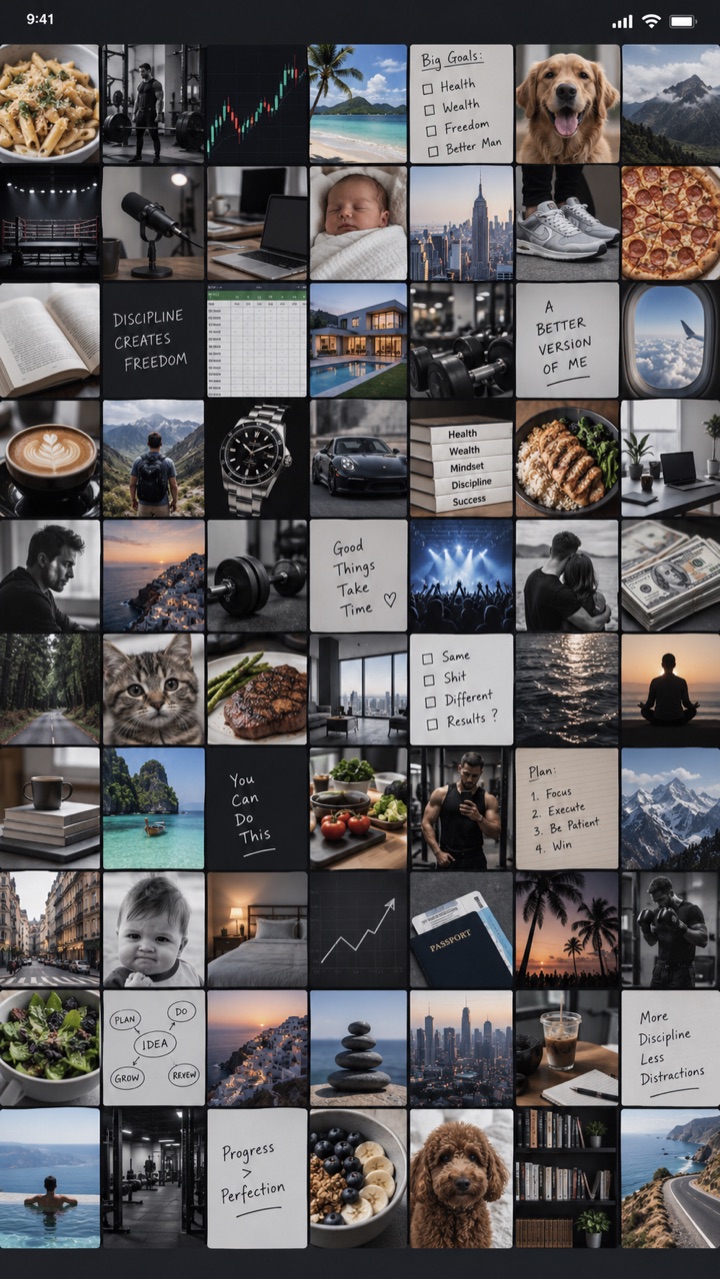
Saved · 312 items · sorted by nothing

01Marketing 02Recipes 03Business advice 04Gym exercises 05Travel recommendations 06AI tools 07A podcast clip 08Something you saved at 1:14 AM and have no idea why 09A great ad 10Negotiation tip? 11Boxing footwork 12

Your saved folder becomes another graveyard of information.

A saved folder: dozens of unrelated thumbnails

So I started thinking:

What would the perfect system actually look like?

And the answer seemed obvious.

What if every useful thing you found while scrolling automatically became part of your personal knowledge library?

Imagine this.

You're scrolling Instagram. You find a great video about Facebook ads.

Instead of just saving it inside Instagram… you copy the link and paste it into ScrollAndLearn.

The app captures it.

Pulls out the key ideas.

Creates a short summary.

Understands what the content is about.

And automatically organizes it inside your personal library.

You paste this…

A video about Facebook adsInstagram · today
A great video about negotiationTikTok · tomorrow
Something about investingYouTube
Something about sleepInstagram
Something about parentingFacebook
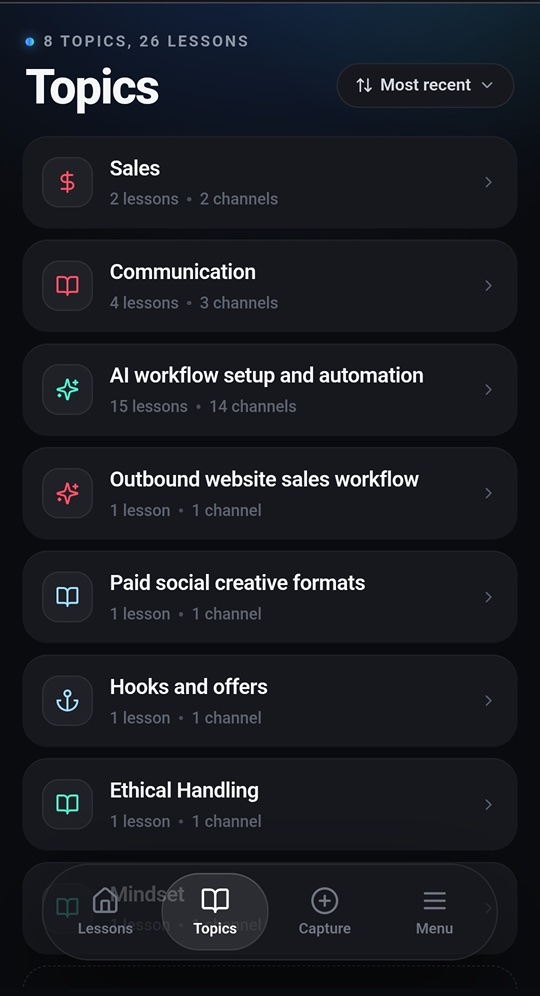
ScrollAndLearn library: topics with lesson counts
…and your library files it here

You don't have to organize hundreds of bookmarks manually. You just keep doing what you already do. You scroll. But now the best things you discover don't disappear.

Over time, something interesting starts to happen.

You begin building your own book.

Except this book isn't written for the average person.

It's built around you. Your interests. Your career. Your problems. Your goals. Your current level of knowledge. Your life circumstances.

Every useful idea you discover becomes another page. Another chapter. Another piece of your personal knowledge base.

After six months, imagine having hundreds of ideas organized around the exact topics you care about.

After three years?

There might genuinely be no book on Earth more relevant to your life than the one you built yourself.

Contents

Example library · six months in
  1. Business124 ideas
  2. Marketing → Facebook Ads38
  3. Marketing → Copywriting21
  4. Sales → Negotiation17
  5. eCommerce → Offers48
  6. Finance41 ideas
  7. Investing29
  8. Cash flow12
  9. Health33 ideas
  10. Sleep9
  11. Boxing → Footwork24
  12. Life19 ideas
  13. Parenting11
  14. Quotes that changed my mind8

And instead of mindlessly scrolling again… you can re-learn what you already found.

Gate B12 · 40 min to boarding
You're waiting at the airport.
Open ScrollAndLearn.
12:48 · order in
You're waiting for lunch.
Open ScrollAndLearn.
2:50 · meeting at 3:00
You have ten minutes before a meeting.
Open ScrollAndLearn.

Instead of consuming another 30 random videos…

Review the best 5 things you already decided were worth remembering.

  • Read the summaries.
  • Go back to the original content.
  • Search everything you've learned about one topic.
  • Rediscover ideas you saved months ago.

And most importantly… actually do something with them.

The same lesson with its transcript and the original Facebook link
Summary, transcript, original link

That's why I built ScrollAndLearn.

Marin Bando at his desk
I threw a few hundred links at it while testing and it never once asked me to sort anything. The topics filled themselves.Tomislav V. · early tester
I paste a link between meetings and forget about it. It is waiting for me later with the transcript, so I never watch the same thing twice.Filip M. · user

Not to stop people from scrolling.

I don't think scrolling is going anywhere. And honestly, I don't necessarily want it to.

There is incredible information on social media. The problem is that today we consume that information like entertainment.

ScrollAndLearn turns it into knowledge.

Save what matters.

Extract the important ideas.

Organize everything automatically.

Come back to it later.

And slowly build a library that becomes more valuable the longer you use it.

Your feed already knows what you want to learn. ScrollAndLearn helps you remember it.

We all scroll. The difference is what happens afterward.

Most people will watch thousands of useful videos this year… and forget almost all of them.

But if you could capture the best ideas you come across, organize them, revisit them and actually apply them… imagine the difference that could make over the next five years.

Same scrolling habit. Completely different result.

Scroll less mindlessly.

Remember more.

Learn from everything.

Build your personal knowledge library.

Start learning while you scroll

First month free. Card at signup, nothing charged until day 31. Cancel anytime.

Marin Bando
Founder, ScrollAndLearn

How it works

Five steps, and you only do the first one.

21 seconds. Real app, not a mockup.
  1. Step 1

    Find something worth remembering

    Keep using Instagram, TikTok, Facebook or YouTube like you normally would. When you find something valuable, copy the link and paste it into ScrollAndLearn.

  2. Step 2

    ScrollAndLearn does the work

    The app extracts the main ideas, creates a useful summary and understands what the content is about.

  3. Step 3

    Your library builds itself

    Your saved content is organized around the subjects you actually care about.

  4. Step 4

    Revisit what matters

    Search your library, review summaries and rediscover your best saved ideas whenever you have a few spare minutes.

  5. Step 5

    Turn information into action

    Because information you never remember or use has very little value.

The goal isn't to consume more. It's to get more from what you already consume.

Before you start

Questions people ask first.

Does it work on iPhone?

Yes. ScrollAndLearn runs in Safari or Chrome on any phone. You copy a link from Instagram, TikTok, YouTube or Facebook, paste it in, and the summary comes back. A native app is in the works.

Which platforms does it support?

Facebook, Instagram, TikTok and YouTube.

What happens to the video?

It stays where it is, on Instagram, TikTok, YouTube or Facebook. ScrollAndLearn keeps the summary, the transcript and a link back to the original so you can watch it again any time.

Do I have to organize anything?

No. Every lesson lands in a topic on its own. You never make a folder, add a tag or sort a list.

Is my library private?

Yes. Private by default. Nobody sees what you save but you.

How much does it cost?

Your first month is free. After that it's $19.99 a month for up to 60 saves. You add a card at signup, nothing is charged until day 31, and you can cancel any time.

A dark bedroom at night, a phone glowing

Stop letting great ideas disappear into your feed.

The next life-changing business idea you see might only be 30 seconds long.

The next marketing tactic might appear between two memes.

The next piece of advice that completely changes the way you think might show up tonight, while you're lying in bed.

The question is: will you still remember it six months from now?

With ScrollAndLearn, you can.

If you want to keep entertaining yourself, do nothing.

If you want to start learning and be better tomorrow, install ScrollAndLearn.

Build my personal knowledge library

First month free. Card at signup, nothing charged until day 31. Cancel anytime.